
Cross-hatching
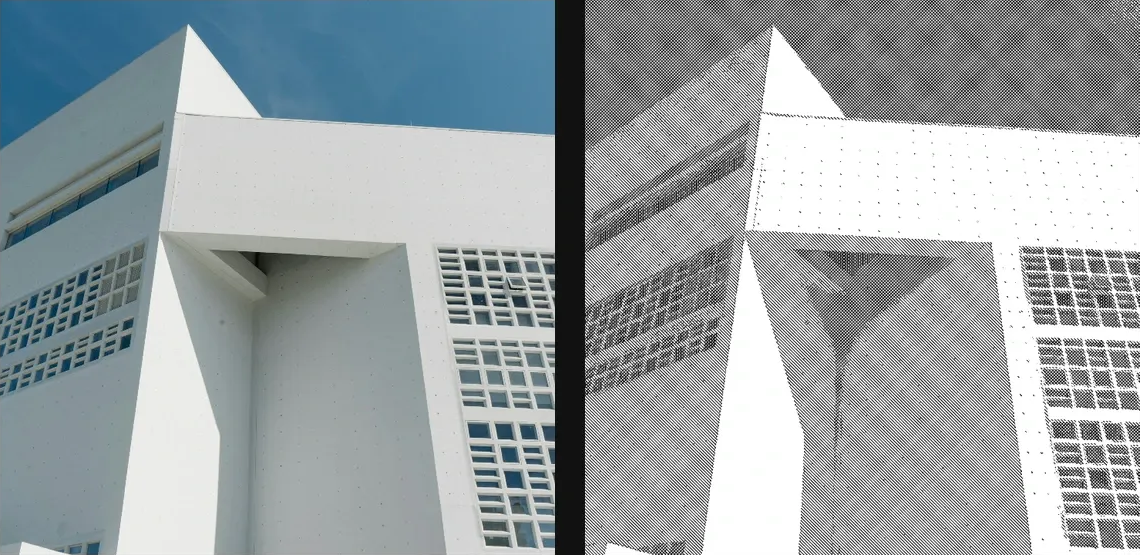
Draw layered hatch lines that respond to source brightness like engraved or comic shading.
Add Cross-hatching
Open an image or build the source composition first. Put this effect after the content it should process in stack processing order. Choose Texture & Pattern → Print → Cross-hatching in the effects picker, or search for Cross-hatching with Cmd/Ctrl + F. Select the new layer in Layers to open its Effect Panel.
Build the hatching
Choose Style, then set Layers for the number of crossing directions. Adjust Spacing and Thickness for line weight.
Control shading
Move Threshold and Ink Density until shadows have enough coverage and highlights remain open. Use Custom Angles for specific line directions and Edge Boost to emphasize contours.
Set an individual colour
Click the relevant colour swatch to open its picker. Colors and Palettes explains colour values, transparency and the canvas sampling controls where available.
Compare and finish
Toggle the layer eye to compare with the incoming composition. Use the Effect Panel footer for opacity and blend mode, or add a mask to limit the affected area. In Video or Live, use the function menu on a supported control to add keyframes or a driver.
Control reference
Show individual controls
| Control | What it does | Values and animation |
|---|---|---|
| Background | colour behind the hatches | White paper / Black paper / Transparent Default: White paper Discrete keyframes |
| Custom Angles | Sets the individual hatch-line directions for custom cross-hatching. | 0° to 180° per hatch direction Default: 45, 135, 90, 0 Per-angle keyframes |
| Edge Boost | adds hatch detail along local image edges | 0% to 100% Default: 18% Continuous keyframes |
| Ink Density | overall hatch ink strength | 0% to 125% Default: 92% Continuous keyframes |
| Line Roughness | breaks hatch strokes into rougher hand-drawn lines | 0% to 100% Default: 12% Continuous keyframes |
| Overprint | how much crossing hatch layers build darker ink | 0% to 100% Default: 35% Continuous keyframes |
| Layers | more layers = smoother shadow detail, denser output | 1 / 2 / 3 / 4 Default: 3 Discrete keyframes |
| Spacing | smaller = tighter hatch, larger = sketchier | 0 to 20 %; 1 to 500 px (typed input: 1 to 2000) Default: 0.4 % Continuous keyframes |
| Thickness | thinner for editorial, thicker for zine-style | 0 to 10 %; 1 to 256 px (typed input: 1 to 1000) Default: 0.15 % Continuous keyframes |
| Colour | Mono uses the Background preset; Duotone recolours with custom ink + paper. | Mono / Duotone Default: Mono Discrete keyframes |
| Ink | Colour of the simulated printed ink in modes that use a custom ink/paper pair. | Colour Default: #1a1a1a Colour keyframes |
| Paper | Colour of the paper substrate visible between and beneath the printed marks. | Colour Default: #f4f1e8 Colour keyframes |
| Style | per-layer angle preset — Custom exposes the angles below | Classic / Diagonal / Etching / Custom Default: Classic Discrete keyframes |
| Threshold | brightness midpoint — higher pushes hatching into highlights | 0% to 100% Default: 50% Continuous keyframes |