
Recursive Feedback
Feed transformed image structure back into itself for recursive trails and accumulating corruption.
Add Recursive Feedback
Open an image or build the source composition first. Put this effect after the content it should process in stack processing order. Choose Glitch → Recursive Feedback in the effects picker, or search for Recursive Feedback with Cmd/Ctrl + F. Select the new layer in Layers to open its Effect Panel.
Set the repeated transform
Place Center X and Center Y, then adjust Zoom and Rotate for each recursive copy.
Balance the feedback
Increase Iterations and set Decay for the copies fading into the source. Source Return restores source detail; Hue changes the repeated colour. This builds recursion within the current image rather than storing previous frames.
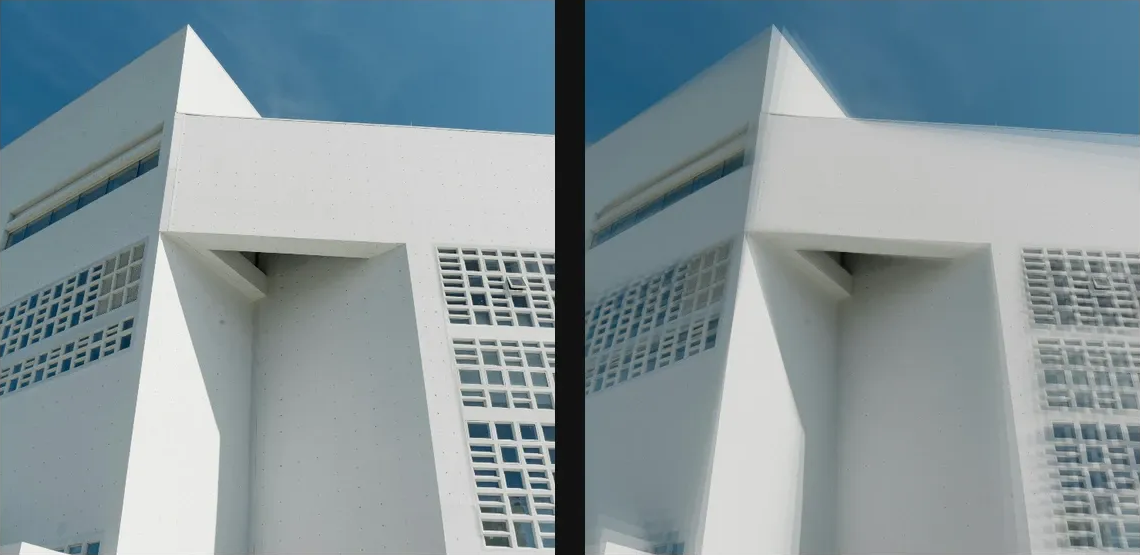
Compare and finish
Toggle the layer eye to compare with the incoming composition. Use the Effect Panel footer for opacity and blend mode, or add a mask to limit the affected area. In Video or Live, use the function menu on a supported control to add keyframes or a driver.
Control reference
Show individual controls
| Control | What it does | Values and animation |
|---|---|---|
| Center X | horizontal position of the centre | 0 to 1 Default: 0.5 Continuous keyframes |
| Center Y | vertical position of the centre | 0 to 1 Default: 0.5 Continuous keyframes |
| Decay | how much brightness each echo keeps — lower = faster fade | 0% to 100% Default: 92% Continuous keyframes |
| Hue | per-step hue rotation — cycles the colour of each echo | -180 to 180 Default: 0 Continuous keyframes |
| Iterations | depth of the feedback tunnel — more = deeper recursion | 0 to 200 Default: 20 Discrete keyframes |
| Source Return | blend back to the source — 0 is a pure tunnel, 1 a faint trail | 0% to 100% Default: 50% Continuous keyframes |
| Rotate | per-step rotation — spins the echo trails | -45 to 45 Default: 2 Continuous keyframes |
| Zoom | per-step zoom — below 1 tunnels in, above 1 tunnels out | 0.5 to 1.5 Default: 0.98 Continuous keyframes |