
Spot Light
Place a coloured spotlight with falloff and blend controls over the current image.
Add Spot Light
Open an image or build the source composition first. Put this effect after the content it should process in stack processing order. Choose Optics → Light → Spot Light in the effects picker, or search for Spot Light with Cmd/Ctrl + F. Select the new layer in Layers to open its Effect Panel.
Place the light
Set Center X and Center Y over the subject. Use Radius and Inner Radius to set the illuminated region.
Feather the lighting
Set Falloff for the transition, Intensity for brightness and Blend for how the spot combines with the image. Check the outside edge against the source.
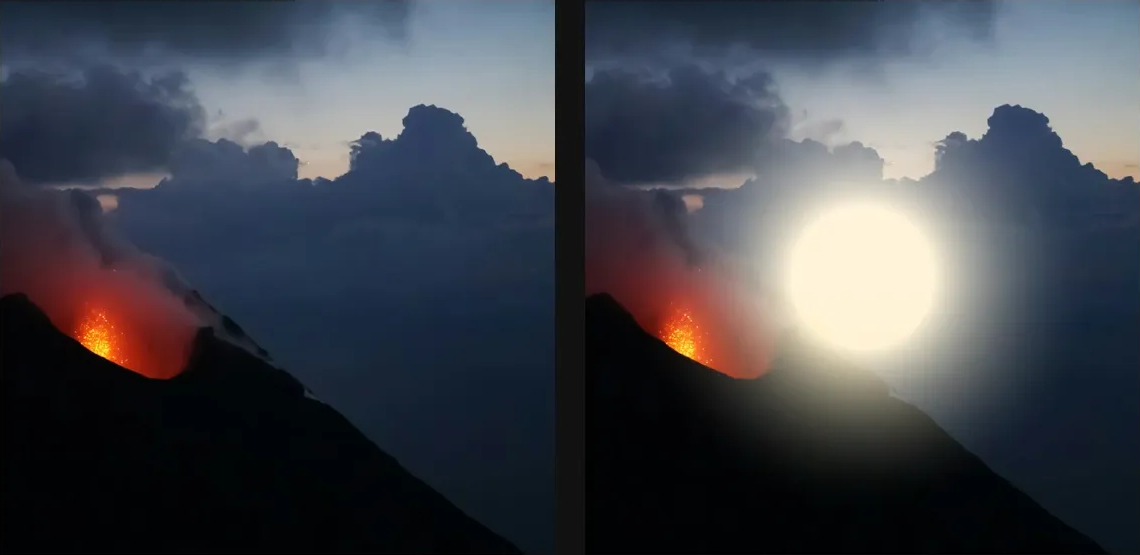
Compare and finish
Toggle the layer eye to compare with the incoming composition. Use the Effect Panel footer for opacity and blend mode, or add a mask to limit the affected area. In Video or Live, use the function menu on a supported control to add keyframes or a driver.
Control reference
Show individual controls
| Control | What it does | Values and animation |
|---|---|---|
| Blend | Chooses how the spotlight combines with the source: Add, Multiply, Screen or Replace. | Add / Multiply / Screen / Replace Default: Screen Not keyframeable |
| Center X | Horizontal centre point for radial modes. | 0 to 1 Default: 0.5 Continuous keyframes |
| Center Y | Vertical centre point for radial modes. | 0 to 1 Default: 0.5 Continuous keyframes |
| Inner Radius | Size of the fully lit centre before Spot Light begins to fall off. | 0% to 100% Default: 30% Continuous keyframes |
| Intensity | Multiplier on the spotlight's contribution within its illuminated radius. | 0 to 4 Default: 1 Continuous keyframes |
| Radius | Outer radius of the spotlight; pixels beyond it receive no light contribution. | 0 to 100 %; 1 to 2000 px (typed input: 1 to 8000) Default: 30 % Continuous keyframes |
| Falloff | Chooses the Linear, Quadratic or Gaussian brightness transition between the spotlight's inner and outer radii. | Linear / Quadratic / Gaussian Default: Quadratic Discrete keyframes |