
Pixelate
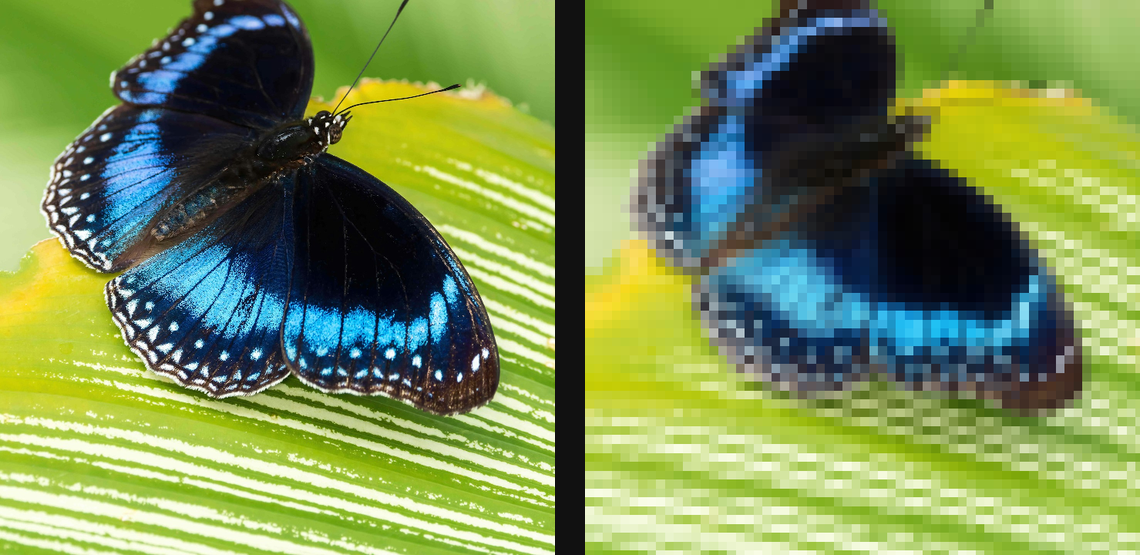
Sample rectangular blocks into chunky pixels with independent width, height, and sampling modes.
Add Pixelate
Open an image or build the source composition first. Put this effect after the content it should process in stack processing order. Choose Texture & Pattern → Pixel → Pixelate in the effects picker, or search for Pixelate with Cmd/Ctrl + F. Select the new layer in Layers to open its Effect Panel.
Choose the pixel grid
Set Block Width and Block Height. Lock Aspect keeps the blocks proportional. Use Offset X and Offset Y to align the grid with the subject.
Choose the sample
Set Sample to choose how each block gets its colour. Compare at full preview quality so the grid size is judged against the actual image pixels.
Compare and finish
Toggle the layer eye to compare with the incoming composition. Use the Effect Panel footer for opacity and blend mode, or add a mask to limit the affected area. In Video or Live, use the function menu on a supported control to add keyframes or a driver.
Control reference
Show individual controls
| Control | What it does | Values and animation |
|---|---|---|
| Block Height | height of each mosaic block | 0 to 20 %; 1 to 500 px (typed input: 1 to 2000) Default: 1.6 % Continuous keyframes |
| Block Width | width of each mosaic block | 0 to 20 %; 1 to 500 px (typed input: 1 to 2000) Default: 1.6 % Continuous keyframes |
| Lock Aspect | pin a fixed width-to-height ratio for the blocks | On / Off Default: Off Discrete keyframes |
| Offset X | slides the block grid horizontally — animate for a moving mosaic | -64 to 64 Default: 0 Continuous keyframes |
| Offset Y | slides the block grid vertically — animate for a moving mosaic | -64 to 64 Default: 0 Continuous keyframes |
| Aspect W:H | the locked block width-to-height ratio | 0.1 to 10 Default: 1 Continuous keyframes |
| Sample | mean averages the block; centre samples its middle; median is cartoon-y | Mean / Median / Centre Default: Mean Discrete keyframes |