
Chromatic Aberration
Separate RGB channels linearly or gather luminance into smooth spectral bands for colourful lens fringing.
Add Chromatic Aberration
Open an image or build the source composition first. Put this effect after the content it should process in stack processing order. Choose Optics → Lens → Chromatic Aberration in the effects picker, or search for Chromatic Aberration with Cmd/Ctrl + F. Select the new layer in Layers to open its Effect Panel.
Choose the split
Select Mode and increase Strength to separate colour channels. Use Angle for directional splitting.
Place the lens centre
Set Center X and Center Y for radial modes and adjust Radial for the edge emphasis. Increase Steps when the selected mode needs a smoother transition.
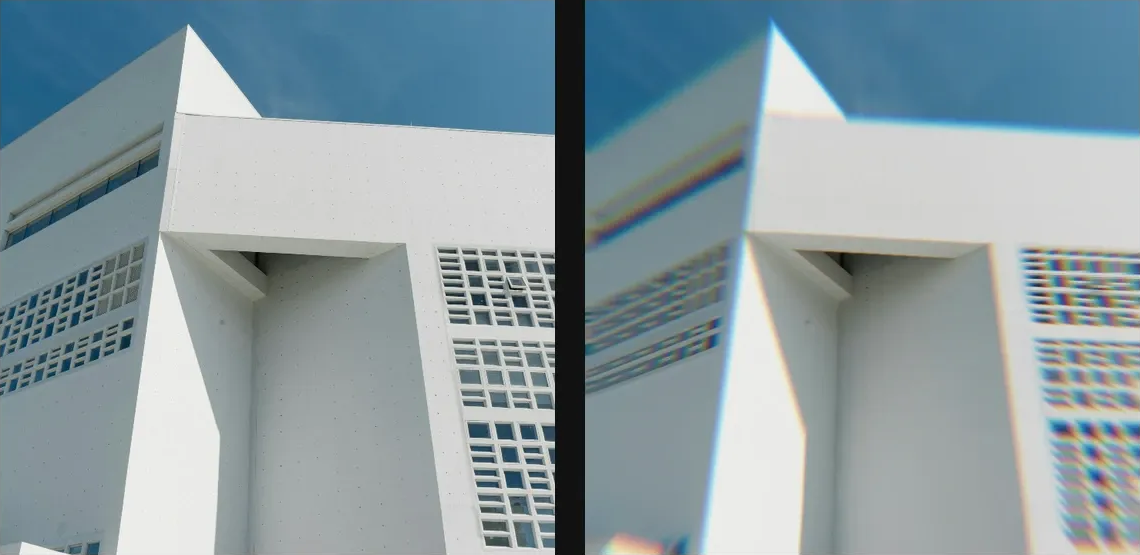
Compare and finish
Toggle the layer eye to compare with the incoming composition. Use the Effect Panel footer for opacity and blend mode, or add a mask to limit the affected area. In Video or Live, use the function menu on a supported control to add keyframes or a driver.
Control reference
Show individual controls
| Control | What it does | Values and animation |
|---|---|---|
| Angle | Direction of colour-channel separation when Radial is disabled. | 0° to 360° Default: 0° Continuous keyframes |
| Center X | Horizontal centre point for radial modes. | 0 to 1 Default: 0.5 Continuous keyframes |
| Center Y | Vertical centre point for radial modes. | 0 to 1 Default: 0.5 Continuous keyframes |
| Radial | Radial chromatic aberration emanating from a center point | On / Off Default: On Discrete keyframes |
| Mode | Chooses the source sampling method for separated chromatic channels. | Split / Continuous Default: Continuous Discrete keyframes |
| Steps | Number of colour-channel samples used by the continuous chromatic-fringe mode; higher values smooth the fringe at greater cost. | 1 to 256 Default: 64 Discrete keyframes |
| Strength | Scales colour-channel separation; the selected sampling mode determines the offset or continuous fringe pattern. | -50 to 50 %; -256 to 256 px (typed input: -2000 to 2000) Default: 0.5 % Continuous keyframes |