
Scan Tear
Tear scanlines, stagger rows, and interrupt the signal with broken horizontal offsets.
Add Scan Tear
Open an image or build the source composition first. Put this effect after the content it should process in stack processing order. Choose Glitch → Scan Tear in the effects picker, or search for Scan Tear with Cmd/Ctrl + F. Select the new layer in Layers to open its Effect Panel.
Build the scan breaks
Choose Mode and set Band Size for the interrupted rows. Change Seed for another arrangement.
Distort the alignment
Raise Intensity and Shear, then use Sync Seams for visible synchronization breaks. Compare with the source before increasing the distortion further.
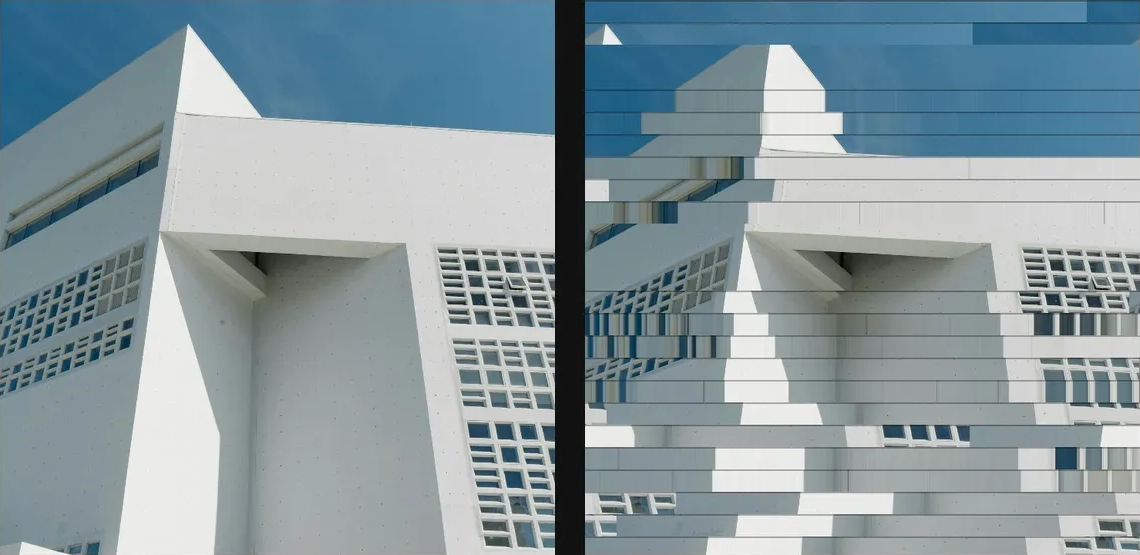
Compare and finish
Toggle the layer eye to compare with the incoming composition. Use the Effect Panel footer for opacity and blend mode, or add a mask to limit the affected area. In Video or Live, use the function menu on a supported control to add keyframes or a driver.
Control reference
Show individual controls
| Control | What it does | Values and animation |
|---|---|---|
| Intensity | strength of the effect | 0% to 100% Default: 50% Continuous keyframes |
| Band Size | height of each horizontal scan band | 0 to 20 %; 1 to 500 px (typed input: 1 to 2000) Default: 4 % Continuous keyframes |
| Mode | mix picks a treatment per band, or force shear, wrong-line repeat, or freeze | Mix / Shear / Row Theft / Freeze Default: Mix Discrete keyframes |
| Seed | change for a different random pattern | 0 to 9999 Default: 0 Discrete keyframes |
| Shear | how far torn bands slide sideways — the rolling h-sync slip | 0% to 100% Default: 40% Continuous keyframes |
| Sync Seams | darkens the top of each torn band — the dark sync bar | 0% to 100% Default: 30% Continuous keyframes |