
Bit Crush
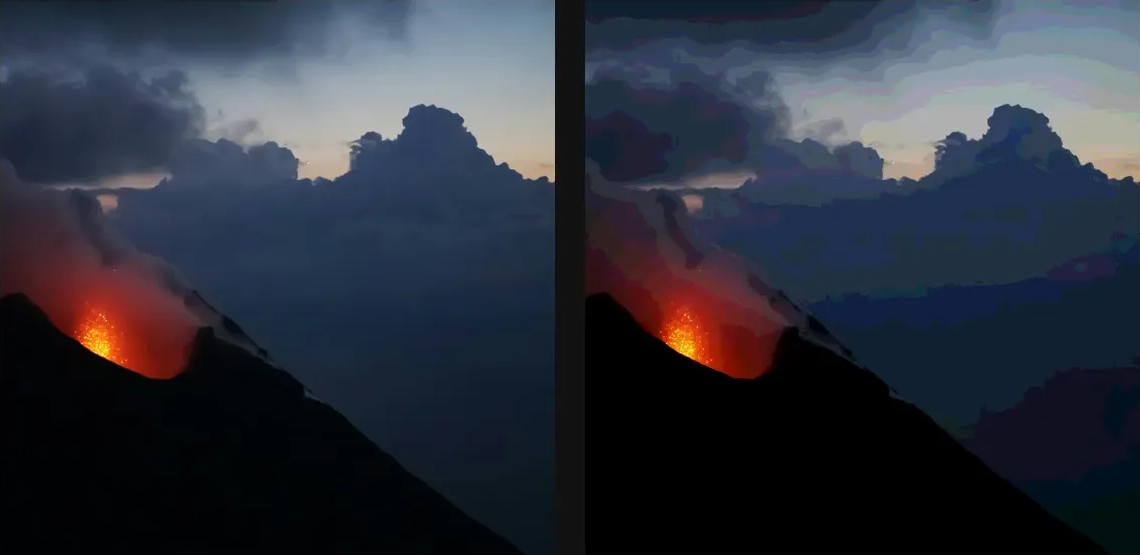
Reduce colour precision into harsh bit-depth bands and crunchy posterized steps.
Add Bit Crush
Open an image or build the source composition first. Put this effect after the content it should process in stack processing order. Choose Glitch → Byte & Color Damage → Bit Crush in the effects picker, or search for Bit Crush with Cmd/Ctrl + F. Select the new layer in Layers to open its Effect Panel.
Reduce colour precision
Choose Mode and Color Space, then lower Red Bits, Green Bits or Blue Bits to make visible steps.
Add damage selectively
Increase Bit Errors for broken values and Dither to soften banding. Change Seed for another error arrangement and compare smooth gradients.
Compare and finish
Toggle the layer eye to compare with the incoming composition. Use the Effect Panel footer for opacity and blend mode, or add a mask to limit the affected area. In Video or Live, use the function menu on a supported control to add keyframes or a driver.
Control reference
Show individual controls
| Control | What it does | Values and animation |
|---|---|---|
| Bit Errors | fraction of pixels that get a random bit flipped — memory rot | 0% to 100% Default: 0% Continuous keyframes |
| Blue Bits | how many bits of blue to keep — fewer = coarser banding | 1 to 8 Default: 4 Discrete keyframes |
| Color Space | crush RGB channels, or YCbCr to keep luma and step the colour | RGB / YCbCr Default: RGB Discrete keyframes |
| Mode | truncate is harsher and slightly darker; round keeps full white | Truncate / Round Default: Truncate Discrete keyframes |
| Dither | scatters the banding into a retro stipple instead of hard contours | 0% to 100% Default: 0% Continuous keyframes |
| Green Bits | how many bits of green to keep — fewer = coarser banding | 1 to 8 Default: 4 Discrete keyframes |
| Red Bits | how many bits of red to keep — fewer = coarser banding | 1 to 8 Default: 4 Discrete keyframes |
| Seed | change for a different random pattern | 0 to 9999 Default: 0 Discrete keyframes |