
Mirror / Tile
Repeat the image through mirrored tiles so seams reflect instead of hard-wrapping.
Add Mirror / Tile
Open an image or build the source composition first. Put this effect after the content it should process in stack processing order. Choose Texture & Pattern → Mosaic & Tile → Mirror / Tile in the effects picker, or search for Mirror / Tile with Cmd/Ctrl + F. Select the new layer in Layers to open its Effect Panel.
Choose the repetition
Select Mode for the mirroring or tiling layout. The current source becomes the repeated image.
Align the seams
Adjust Offset X and Offset Y to position the pattern. Inspect boundaries and use a transform or crop earlier in the stack when a different source region should repeat.
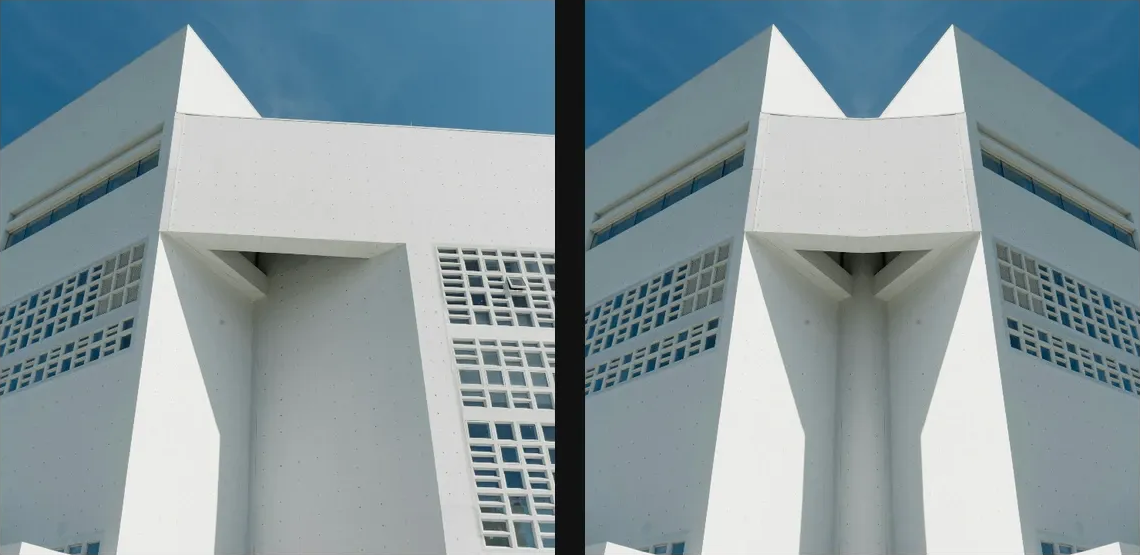
Compare and finish
Toggle the layer eye to compare with the incoming composition. Use the Effect Panel footer for opacity and blend mode, or add a mask to limit the affected area. In Video or Live, use the function menu on a supported control to add keyframes or a driver.
Control reference
Show individual controls
| Control | What it does | Values and animation |
|---|---|---|
| Mode | Chooses how the source image is mirrored and repeated. | Horizontal / Vertical / Quad Default: Horizontal Discrete keyframes |
| Offset X | Moves the mirror centre horizontally as a fraction of the canvas width. | -1 to 1 Default: 0 Continuous keyframes |
| Offset Y | Moves the mirror centre vertically as a fraction of the canvas height. | -1 to 1 Default: 0 Continuous keyframes |