
Directional Stretch
Drag samples along a line or radial direction for clean directional smears and stretch marks.
Add Directional Stretch
Open an image or build the source composition first. Put this effect after the content it should process in stack processing order. Choose Distortion → Directional Stretch in the effects picker, or search for Directional Stretch with Cmd/Ctrl + F. Select the new layer in Layers to open its Effect Panel.
Place the stretch
Choose Mode, then set Center X and Center Y and Angle for the stretch direction. Increase Distance to pull the image outward.
Control the tail
Adjust Decay and Luma Gate to change which tones extend. Add Chromatic for colour separation and raise Samples to smooth visible steps.
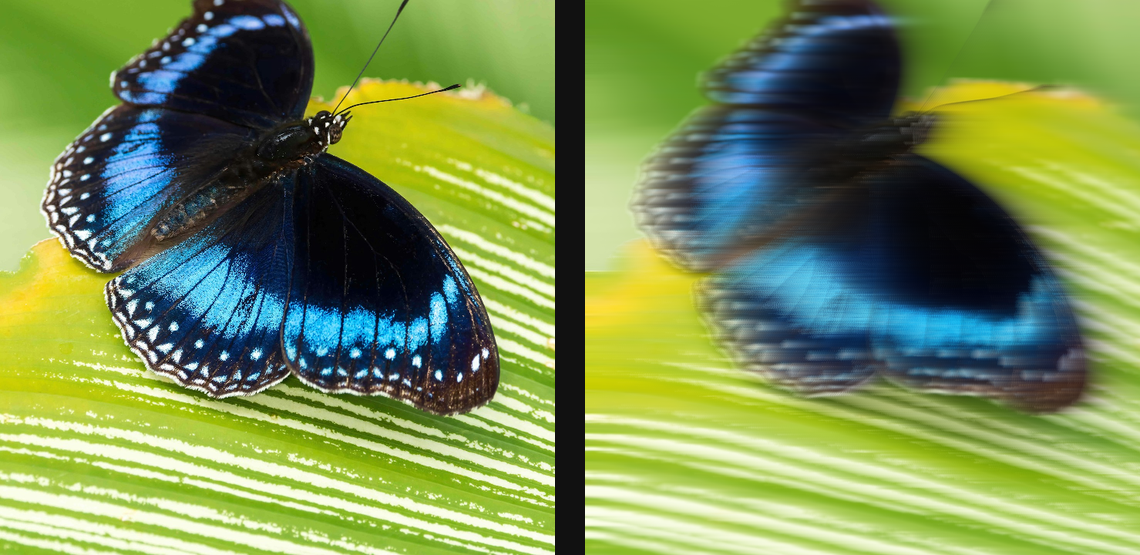
Compare and finish
Toggle the layer eye to compare with the incoming composition. Use the Effect Panel footer for opacity and blend mode, or add a mask to limit the affected area. In Video or Live, use the function menu on a supported control to add keyframes or a driver.
Control reference
Show individual controls
| Control | What it does | Values and animation |
|---|---|---|
| Center X | Horizontal centre point for radial modes. | 0 to 1 Default: 0.5 Continuous keyframes |
| Center Y | Vertical centre point for radial modes. | 0 to 1 Default: 0.5 Continuous keyframes |
| Angle | Direction the stretch extends. | 0° to 360° Default: 0° Continuous keyframes |
| Chromatic | Splits red and blue taps along the stretch. | 0% to 100% Default: 0% Continuous keyframes |
| Decay | Higher values keep the smear visible farther from the source. | 0% to 100% Default: 90% Continuous keyframes |
| Distance | How far source pixels are dragged along the ray. | 0 to 80 %; 0 to 1200 px Default: 14 % Continuous keyframes |
| Mode | Chooses how Directional Stretch samples and combines pixels along each ray. | Forward / Backward / Bidirectional / Radial Default: Forward Discrete keyframes |
| Samples | Number of samples combined along the stretch ray; more samples produce a smoother streak at greater processing cost. | 1 to 96 (typed input: 1 to 256) Default: 36 Discrete keyframes |
| Luma Gate | Only brighter samples stretch when raised above zero. | 0% to 100% Default: 0% Continuous keyframes |