
LUT
Apply a colour grade from a built-in look or an imported .cube LUT file.
Add LUT
Open an image or build the source composition first. Put this effect after the content it should process in stack processing order. Choose Image Adjustments → LUT in the effects picker, or search for LUT with Cmd/Ctrl + F. Select the new layer in Layers to open its Effect Panel.
Choose a built-in look
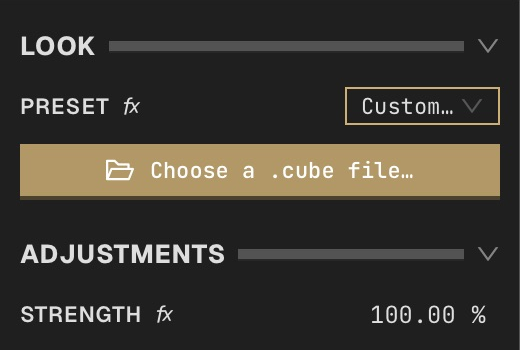
In Look, open Preset and choose a film look such as Kodak Portra 400. The canvas updates immediately.
Load your own LUT
Choose Custom… in Preset, then click Choose a .cube file…. If the file button is hidden, expand the advanced controls in Look first. Select a 1D or 3D .cube file. The title, type and size confirm the loaded LUT; Choose a different LUT… replaces it.
Blend the grade
In Adjustments, set Strength from 0% for the original image to 100% for the complete LUT. Toggle the layer eye to compare before and after. Keep the imported LUT available when reopening projects that refer to it.
Compare and finish
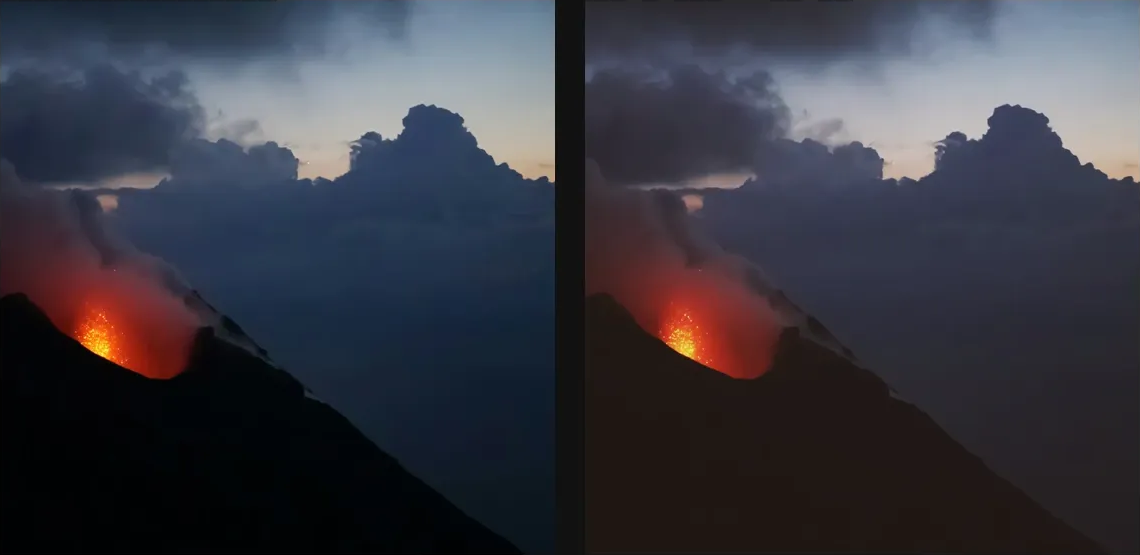
Toggle the layer eye to compare with the incoming composition. Use the Effect Panel footer for opacity and blend mode, or add a mask to limit the affected area. In Video or Live, use the function menu on a supported control to add keyframes or a driver.
Control reference
Show individual controls
| Control | What it does | Values and animation |
|---|---|---|
| Custom LUT file | choose a .cube LUT file — 1D and 3D supported | LUT file Default: None Not keyframeable |
| Preset | film-emulation preset — Custom… loads your own .cube file | Kodak Portra 400 / Kodak Tri-X 400 / Fuji Velvia 50 / Fuji Pro 400H / Cinestill 800T / Polaroid 600 / Lomography Color 100 / Vintage Cyanotype / Day for Night / Bleach Bypass / Custom… Default: Kodak Portra 400 Discrete keyframes |
| Strength | how strongly the LUT replaces the original colour | 0% to 100% Default: 100% Continuous keyframes |