
Posterize Glitch
Posterize colour levels with glitch-biased channel offsets and broken tonal steps.
Add Posterize Glitch
Open an image or build the source composition first. Put this effect after the content it should process in stack processing order. Choose Glitch → Byte & Color Damage → Posterize Glitch in the effects picker, or search for Posterize Glitch with Cmd/Ctrl + F. Select the new layer in Layers to open its Effect Panel.
Set the colour bands
Lower Red Levels, Green Levels or Blue Levels for stepped channels. Different counts separate their band boundaries.
Break the contours
Adjust Band Shift and Contour to offset or emphasize the tonal steps. Compare with a smooth part of the source to judge the damage.
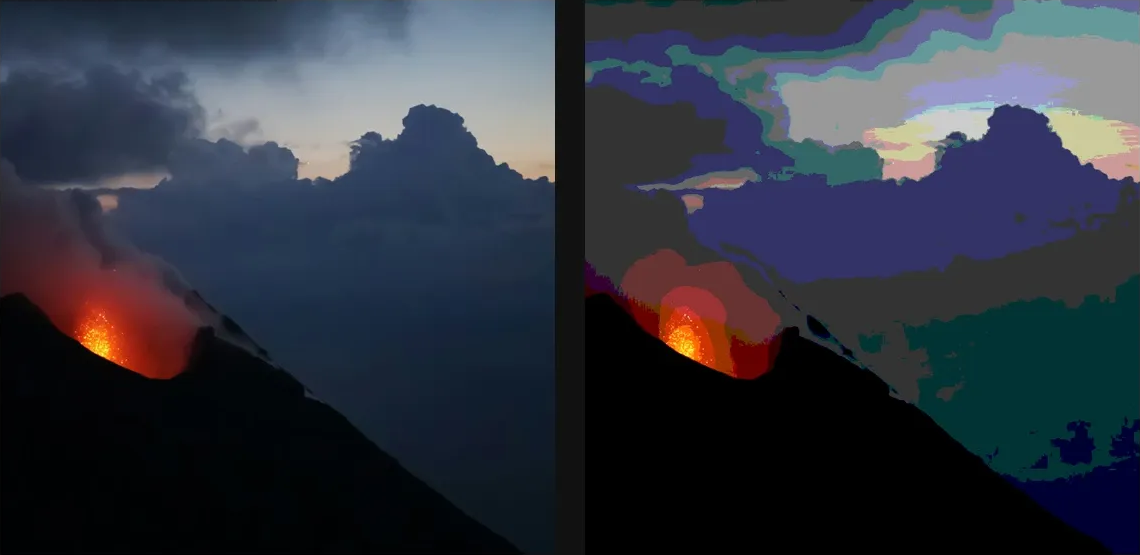
Compare and finish
Toggle the layer eye to compare with the incoming composition. Use the Effect Panel footer for opacity and blend mode, or add a mask to limit the affected area. In Video or Live, use the function menu on a supported control to add keyframes or a driver.
Control reference
Show individual controls
| Control | What it does | Values and animation |
|---|---|---|
| Band Shift | misaligns the channel band edges for chromatic fringing | 0% to 100% Default: 0% Continuous keyframes |
| Blue Levels | blue colour steps — mismatched counts shear the channels apart | 2 to 32 Default: 6 Discrete keyframes |
| Contour | draws dark outlines along the posterize band edges | 0% to 100% Default: 0% Continuous keyframes |
| Green Levels | green colour steps — mismatched counts shear the channels apart | 2 to 32 Default: 6 Discrete keyframes |
| Red Levels | red colour steps — mismatched counts shear the channels apart | 2 to 32 Default: 6 Discrete keyframes |