
Frame Mosh
Carry image blocks from previous frames through movement for broken-video smears and datamosh trails.
Add Frame Mosh
Use a moving video or animated layers upstream, then choose Video or Live in the title bar. This effect needs previously rendered frames; a paused first frame has no useful history. Choose Temporal → Frame-to-frame → Frame Mosh in the effects picker, or search for Frame Mosh with Cmd/Ctrl + F. Select the new layer in Layers to open its Effect Panel.
Set the history response
Set Block Size and Search Radius for motion matching, then Motion Scale for how strongly old blocks follow movement.
Inspect the motion
Trail controls the history mix; I-Frame Leak and Residual restore current-frame detail. Inspect moving edges while playing forward.
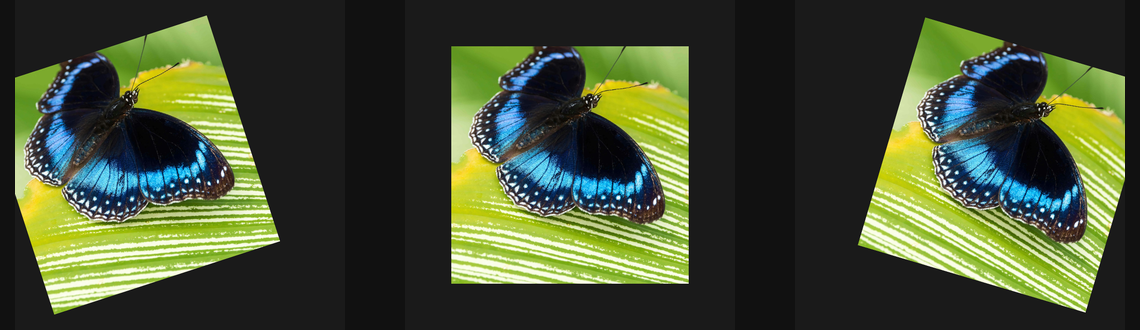
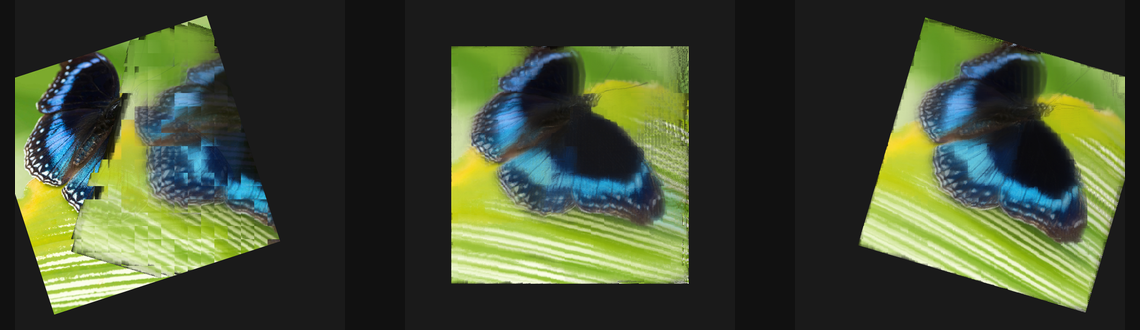
Compare and finish
Play forward for several frames before comparing the layer on and off. Seeking or restarting can rebuild history. Check the same motion in animation export when judging a history-based result.
Control reference
Show individual controls
| Control | What it does | Values and animation |
|---|---|---|
| I-Frame Leak | Leaks clean current-frame information into the predicted picture, reducing accumulated corruption. | 0% to 100% Default: 0% Continuous keyframes |
| Block Size | Sets the size of blocks used to predict movement between frames. | 0 to 20 %; 1 to 500 px (typed input: 1 to 2000) Default: 4 % Continuous keyframes |
| Motion Scale | Scales the displacement from the estimated inter-frame block motion. | 0 to 4 Default: 1 Continuous keyframes |
| Residual | Mixes current-frame detail back into the motion-predicted picture. | 0% to 100% Default: 8% Continuous keyframes |
| Search Radius | Sets how far each block searches for a matching region in the previous frame. | 0 to 20 %; 1 to 500 px (typed input: 1 to 2000) Default: 2 % Continuous keyframes |
| Seed | Selects a repeatable block-corruption pattern. | 0 to 9999 Default: 0 Discrete keyframes |
| Trail | Retains part of the preceding decoded result as a motion trail. | 0% to 100% Default: 12% Continuous keyframes |