
Toon
Posterize tones and darken detected edges for a cel-shaded illustration look.
Add Toon
Open an image or build the source composition first. Put this effect after the content it should process in stack processing order. Choose Texture & Pattern → Paint → Toon in the effects picker, or search for Toon with Cmd/Ctrl + F. Select the new layer in Layers to open its Effect Panel.
Simplify tones
Lower Levels to create flatter colour bands. Choose enough levels to preserve the main shapes.
Add outlines
Adjust Edge Threshold to choose visible contours, then Edge Strength for their darkness. Compare small facial or text details before increasing the outline strength.
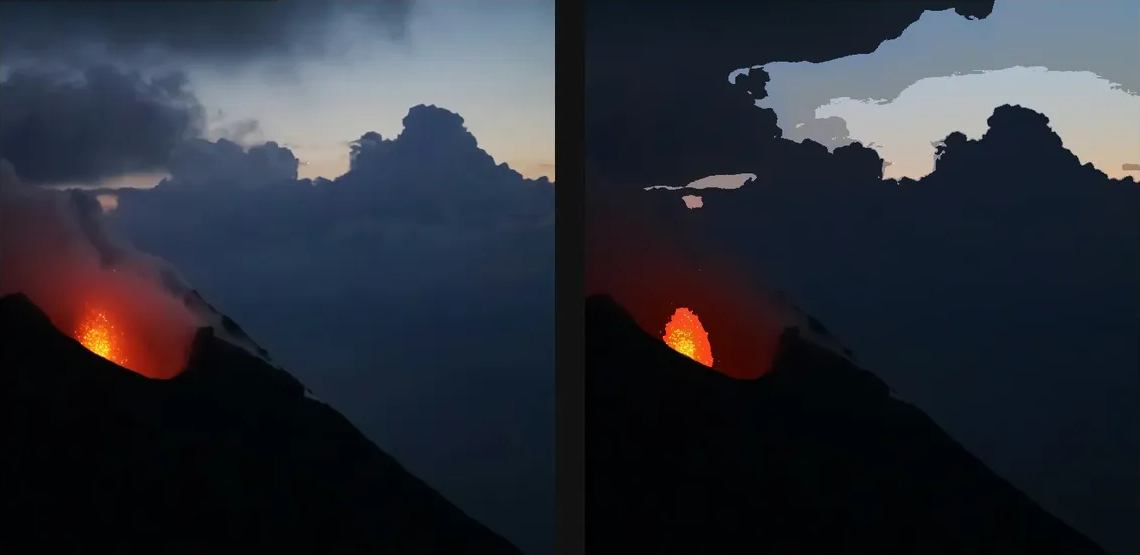
Compare and finish
Toggle the layer eye to compare with the incoming composition. Use the Effect Panel footer for opacity and blend mode, or add a mask to limit the affected area. In Video or Live, use the function menu on a supported control to add keyframes or a driver.
Control reference
Show individual controls
| Control | What it does | Values and animation |
|---|---|---|
| Edge Strength | darkness of the generated ink edge | 0 to 1.5 Default: 0.75 Continuous keyframes |
| Edge Threshold | how strong an edge must be before ink appears | 0 to 1 Default: 0.18 Continuous keyframes |
| Levels | number of colour bands in the cartoon fill | 2 to 16 Default: 5 Discrete keyframes |