
Shatter
Displace tessellated shards outward from an origin for a flat shatter or fractured-tile breakup.
Add Shatter
Open an image or build the source composition first. Put this effect after the content it should process in stack processing order. Choose Material → Damage → Shatter in the effects picker, or search for Shatter with Cmd/Ctrl + F. Select the new layer in Layers to open its Effect Panel.
Choose the fragments
Set Cell Size, Jitter and Seed for the partitions. Gap separates the shards.
Break up the image
Increase Displacement and Rotation, then use Bevel and Bevel Width for the edge treatment. Compare with the original before adding stronger separation.
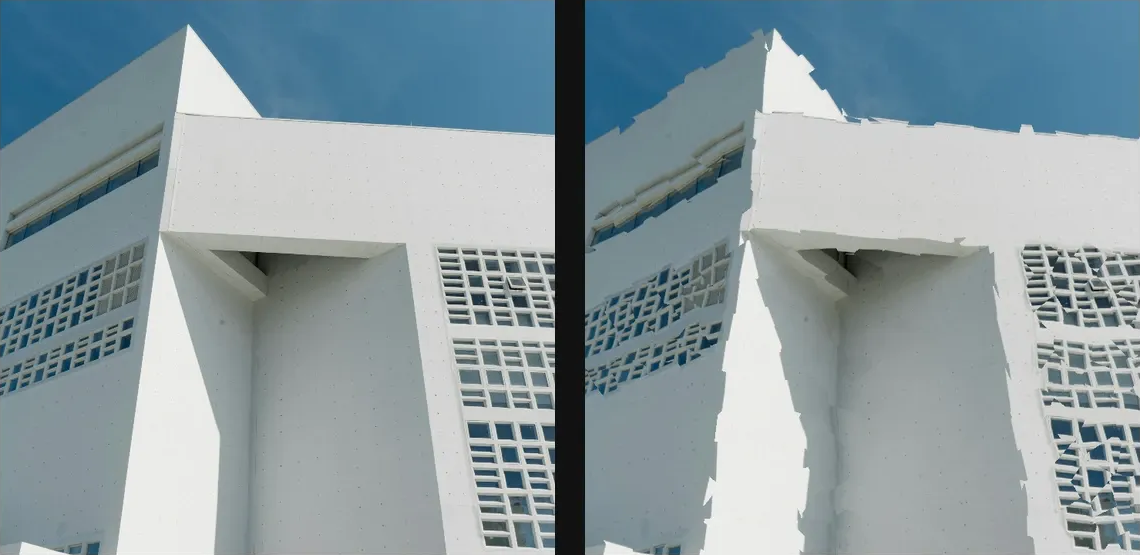
Compare and finish
Toggle the layer eye to compare with the incoming composition. Use the Effect Panel footer for opacity and blend mode, or add a mask to limit the affected area. In Video or Live, use the function menu on a supported control to add keyframes or a driver.
Control reference
Show individual controls
| Control | What it does | Values and animation |
|---|---|---|
| Bevel | Sets the brightness of highlights along shard boundaries. | 0% to 100% Default: 0% Continuous keyframes |
| Bevel Width | Sets the width of bevelled shard edges. | 0 to 10 %; 1 to 256 px (typed input: 1 to 1000) Default: 0 % Continuous keyframes |
| Cell Size | Sets the spacing of cells used to fracture or displace the source. | 0 to 20 %; 1 to 500 px (typed input: 1 to 2000) Default: 5 % Continuous keyframes |
| Displacement | Sets how far cell or tile fragments move from their original positions. | 0 to 50 %; 0 to 256 px (typed input: 0 to 2000) Default: 0.8 % Continuous keyframes |
| Gap | Width of the empty separation between shards, measured in the selected Gap unit. | 0 to 10 %; 1 to 256 px (typed input: 1 to 1000) Default: 0 % Continuous keyframes |
| Jitter | Perturbs cell centres to break up a regular tiling. | 0% to 100% Default: 100% Continuous keyframes |
| Rotation | Adds random rotation to individual shards. | 0° to 180° Default: 6° Continuous keyframes |
| Seed | Deterministic random seed for generated structure. | 0 to 9999 Default: 0 Discrete keyframes |