
Glitch Slit-Scan
Sample a still image through a control field to create stretched scan bands and sci-fi smears in madphase.
Add Slit-Scan
Open an image or build the source composition first. Put this effect after the content it should process in stack processing order. Choose Glitch → Slit-Scan in the effects picker, or search for Slit-Scan with Cmd/Ctrl + F. Select the new layer in Layers to open its Effect Panel.
Choose the sampling field
Set Source and Axis, then Angle and Amount for the scan direction and reach. Noise Scale and Noise Seed shape a noise-driven field.
Move the scan
Change Phase from 0 to 1 for one periodic turn, with matching endpoints. Use Bilinear and Boundary to control sampling. This effect samples the current image; Temporal Slit Scan uses rendered-frame history.
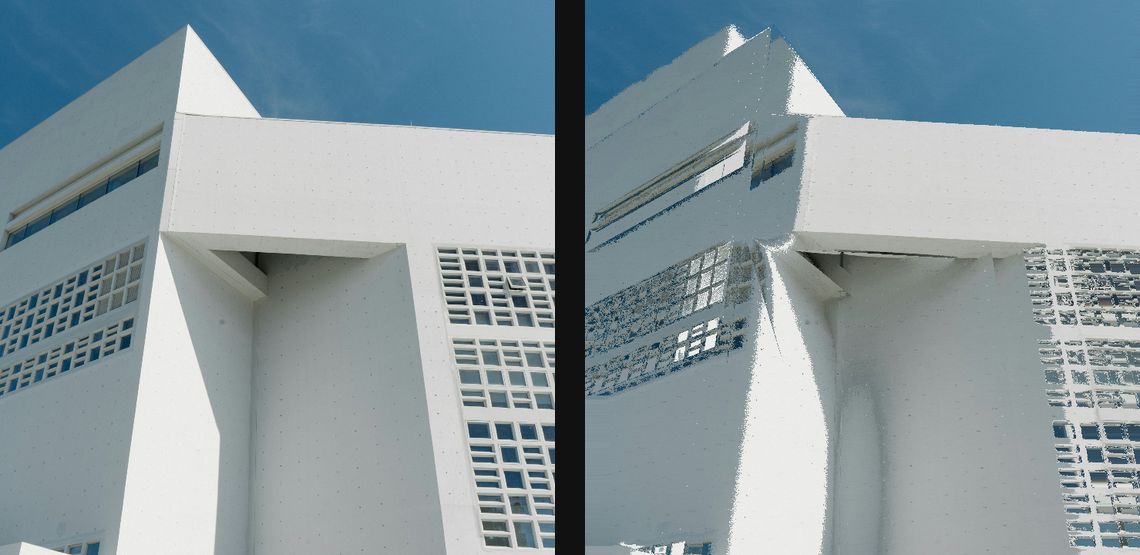
Compare and finish
Toggle the layer eye to compare with the incoming composition. Use the Effect Panel footer for opacity and blend mode, or add a mask to limit the affected area. In Video or Live, use the function menu on a supported control to add keyframes or a driver.
Control reference
Show individual controls
| Control | What it does | Values and animation |
|---|---|---|
| Amount | Maximum source-pixel displacement driven by the selected control field. Choose percentage or pixels with Amount unit. | 0 to 100 %; 0 to 1000 px (typed input: 0 to 4000) Default: 10 % Continuous keyframes |
| Angle | Direction of spatial source displacement when Axis is Linear; Radial uses the image centre instead. | 0° to 360° Default: 0° Continuous keyframes |
| Axis | Chooses linear displacement along Angle or radial displacement from the image centre. | Linear / Radial Default: Linear Discrete keyframes |
| Bilinear | Smooths Slit-Scan source sampling; turn off for harder pixel-art sampling. | On / Off Default: On Discrete keyframes |
| Boundary | Chooses how displaced samples outside the source image are filled. | Clamp / Wrap / Mirror Default: Clamp Discrete keyframes |
| Source | Chooses the image signal or procedural noise field that drives slit-scan displacement. | Luma Gradient / Perlin Noise / Radial Distance / Layer Mask Default: Luma Gradient Discrete keyframes |
| Noise Scale | Sets the feature size of the Perlin control field. | 0.1px to 100px Default: 5px Continuous keyframes |
| Noise Seed | Selects a repeatable random pattern for Slit-Scan; the same seed repeats its layout. | 0 to 999 Default: 0 Discrete keyframes |
| Phase | Advances a travelling periodic wave through the control field. Animate 0 to 1 for a full loop with matching endpoints and one source sample per pixel. | 0 to 1 Default: 0 Continuous keyframes |