
DC Block Shift
Offset block-average colour components for low-frequency channel jumps and codec-like shifts.
Add DC Block Shift
Open an image or build the source composition first. Put this effect after the content it should process in stack processing order. Choose Glitch → Byte & Color Damage → DC Block Shift in the effects picker, or search for DC Block Shift with Cmd/Ctrl + F. Select the new layer in Layers to open its Effect Panel.
Set the block structure
Choose Block Size, then Error Rate for how many blocks receive changed average values. Seed gives another arrangement.
Direct the error
Adjust Error Strength and Angle for the visible shift. Reset Each Row changes whether the error continues across row boundaries.
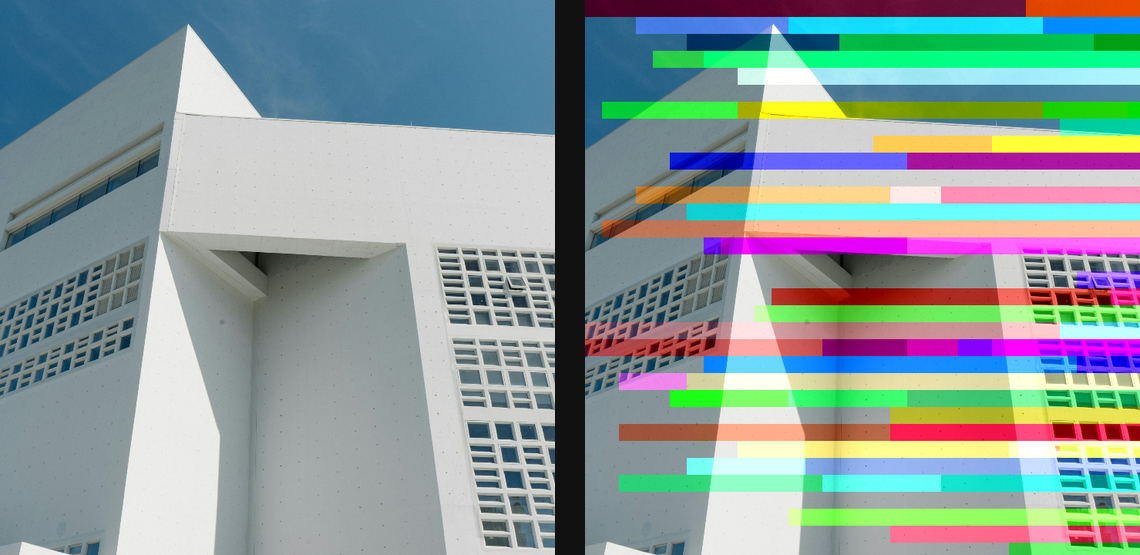
Compare and finish
Toggle the layer eye to compare with the incoming composition. Use the Effect Panel footer for opacity and blend mode, or add a mask to limit the affected area. In Video or Live, use the function menu on a supported control to add keyframes or a driver.
Control reference
Show individual controls
| Control | What it does | Values and animation |
|---|---|---|
| Angle | direction the colour casts streak — 0 is horizontal rows | 0° to 360° Default: 0° Continuous keyframes |
| Block Size | size of each block the colour cast streaks from | 0 to 20 %; 1 to 500 px (typed input: 1 to 2000) Default: 3 % Continuous keyframes |
| Error Rate | how often a block injects a colour cast | 0% to 100% Default: 25% Continuous keyframes |
| Error Strength | how strong each colour cast is | 0% to 100% Default: 18% Continuous keyframes |
| Reset Each Row | clear the cast at the start of each row, or let it carry across | On / Off Default: On Discrete keyframes |
| Seed | change for a different random pattern | 0 to 9999 Default: 0 Discrete keyframes |