
Edge Detection
Convert local contrast changes into edge-only structure for tracing and downstream masks.
Add Edge Detection
Open an image or build the source composition first. Put this effect after the content it should process in stack processing order. Choose Layer → Filter → Detail & Edges → Edge Detection in the effects picker, or search for Edge Detection with Cmd/Ctrl + F. Select the new layer in Layers to open its Effect Panel.
Inspect the operation
Edge Detection isolates local contrast changes from the source. It applies as soon as the layer is added and has no additional mode-specific controls.
Use the result
Toggle the eye to compare with the source. Adjust opacity and blend mode in the footer, or use the result inside a mask to apply its edge structure to another layer.
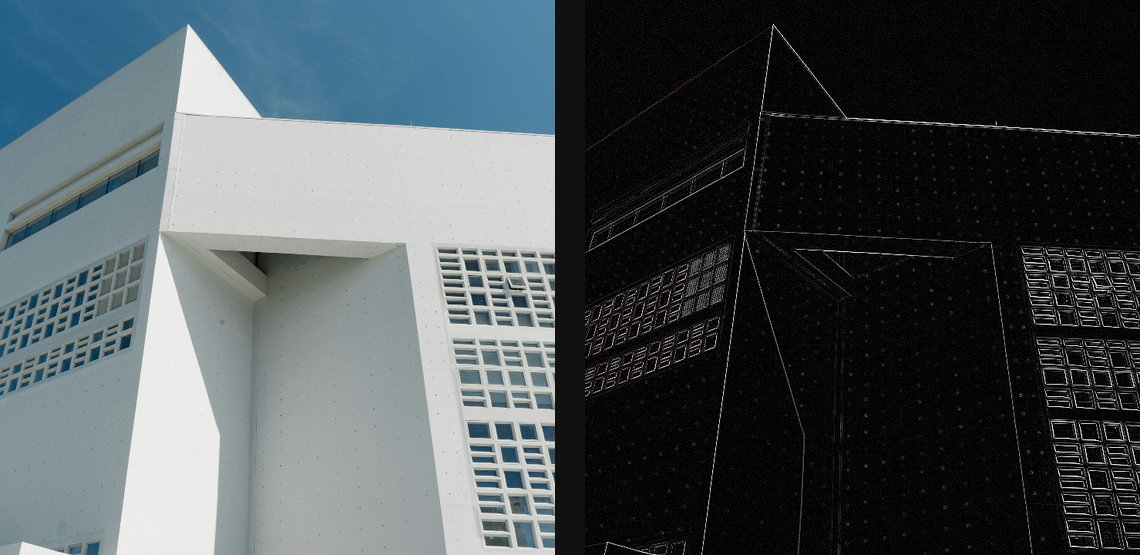
Compare and finish
Toggle the layer eye to compare with the incoming composition. Use the Effect Panel footer for opacity and blend mode, or add a mask to limit the affected area. In Video or Live, use the function menu on a supported control to add keyframes or a driver.